Optical Properties with Optimal Basis Functions
This tutorial demonstrates how to calculate the dielectric function of silicon using the SIMPLE.x program in Quantum ESPRESSO, which employs optimal basis functions for optical property calculations. The detailed physics behind this method is described in: SIMPLE code: Optical properties with optimal basis functions, Prandini, G., Galante, M., Marzari, N., & Umari, P., Computer Physics Communications, 240, 106 (2019).
The workflow below replicates example 5 from the Quantum ESPRESSO GWW directory. Input and reference output files are also available in the CLI-job-examples repository.
1. Create the workflow
The dielectric constant calculation using the SIMPLE method involves the following steps.
1.1. PW SCF calculation
Navigate to the workflows page, and create a new workflow. The Quantum ESPRESSO version and build can be changed by expanding the details pane and selecting from the drop-down menus.
Pseudopotential requirement
The SIMPLE code only supports norm-conserving pseudopotentials. Select a norm-conserving pseudopotential after applying the appropriate method filters.

Lattice parameters are provided via ibrav and celldm instead of the CELL_PARAMETERS card. Click Edit on the pw_scf unit and modify the desired parameters in the template. Energy and charge density cutoffs, as well as the k-grid, can be set in the Important Settings tab.
1.2. HEAD calculation
Add an execution unit and select the head.x executable. Adjust parameters in the head template as needed.
1.3. NSCF calculation (Gamma-only)
Add an execution unit, click Edit, and select the pw_nscf flavor. Set ibrav and other parameters as in the SCF step. Set nbnd and configure the k-grid for Gamma-point-only calculation.
1.4. pw4gww.x preparation
Add a unit with the pw4gww.x executable to prepare input files for the GWW calculation. Modify template parameters as necessary.
1.5. GWW calculation
Add a unit with the gww.x executable and adjust input parameters in the template.
1.6. NSCF calculation with k-grid
Perform a non-self-consistent calculation on a finite k-grid. Symmetry must be disabled so that Quantum ESPRESSO does not reduce k-points. This is achieved by adding an assignment unit (select "assignment" from the unit type drop-down) with the variable NO_SYMMETRY_NO_INVERSION set to true.

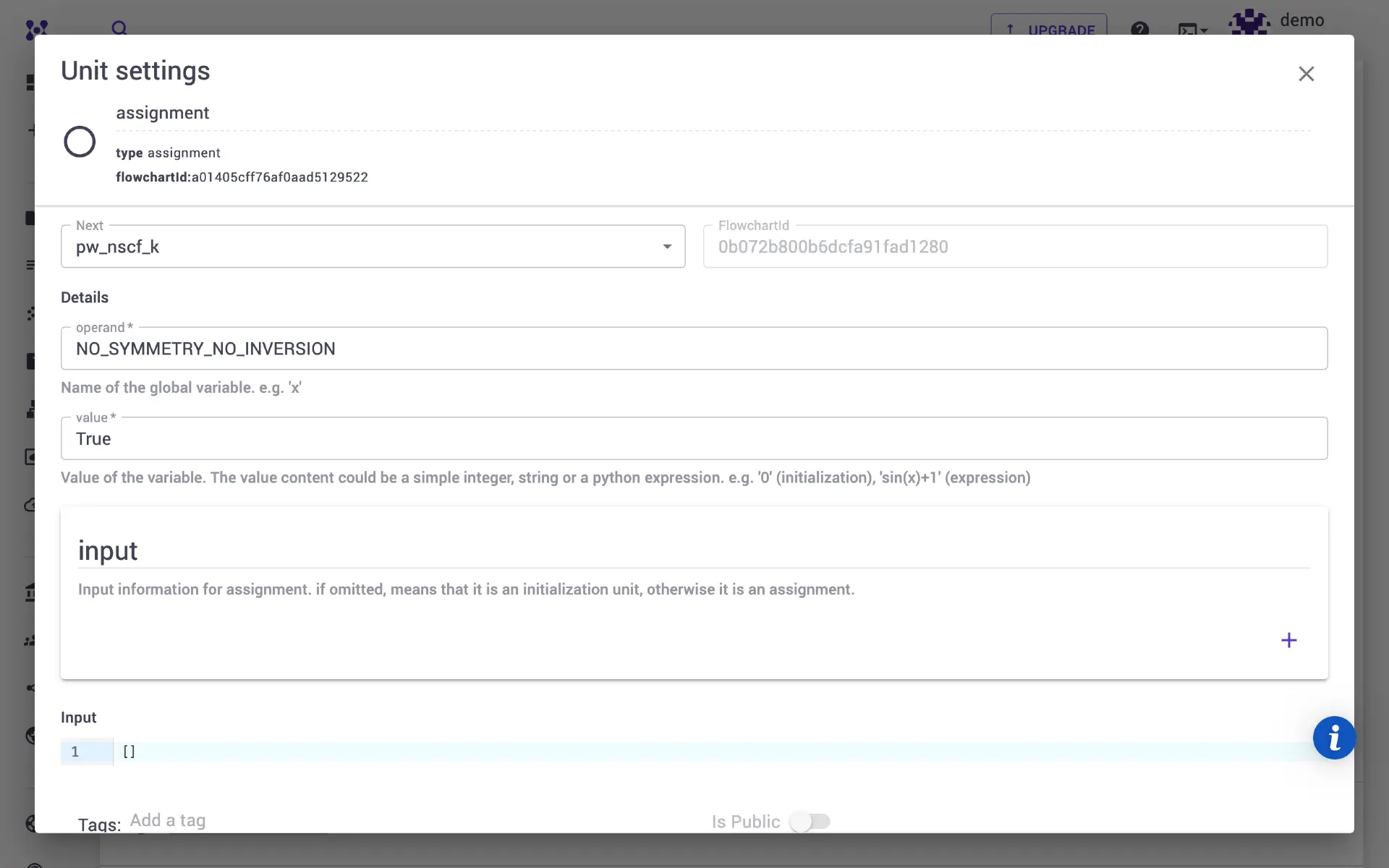
Add an execution unit for nscf calculation with nbnd set to 40 and a 2 × 2 × 2 k-grid via Important Settings. A unique unit name is required to avoid file name conflicts with the earlier pw_nscf unit.
1.7. SIMPLE calculation
Add a unit with simple.x to calculate the optimal basis set. Set calc_mode=0 for the BSE method (or calc_mode=1 for Independent Particle). Specify 16 valence bands and 24 conduction bands.
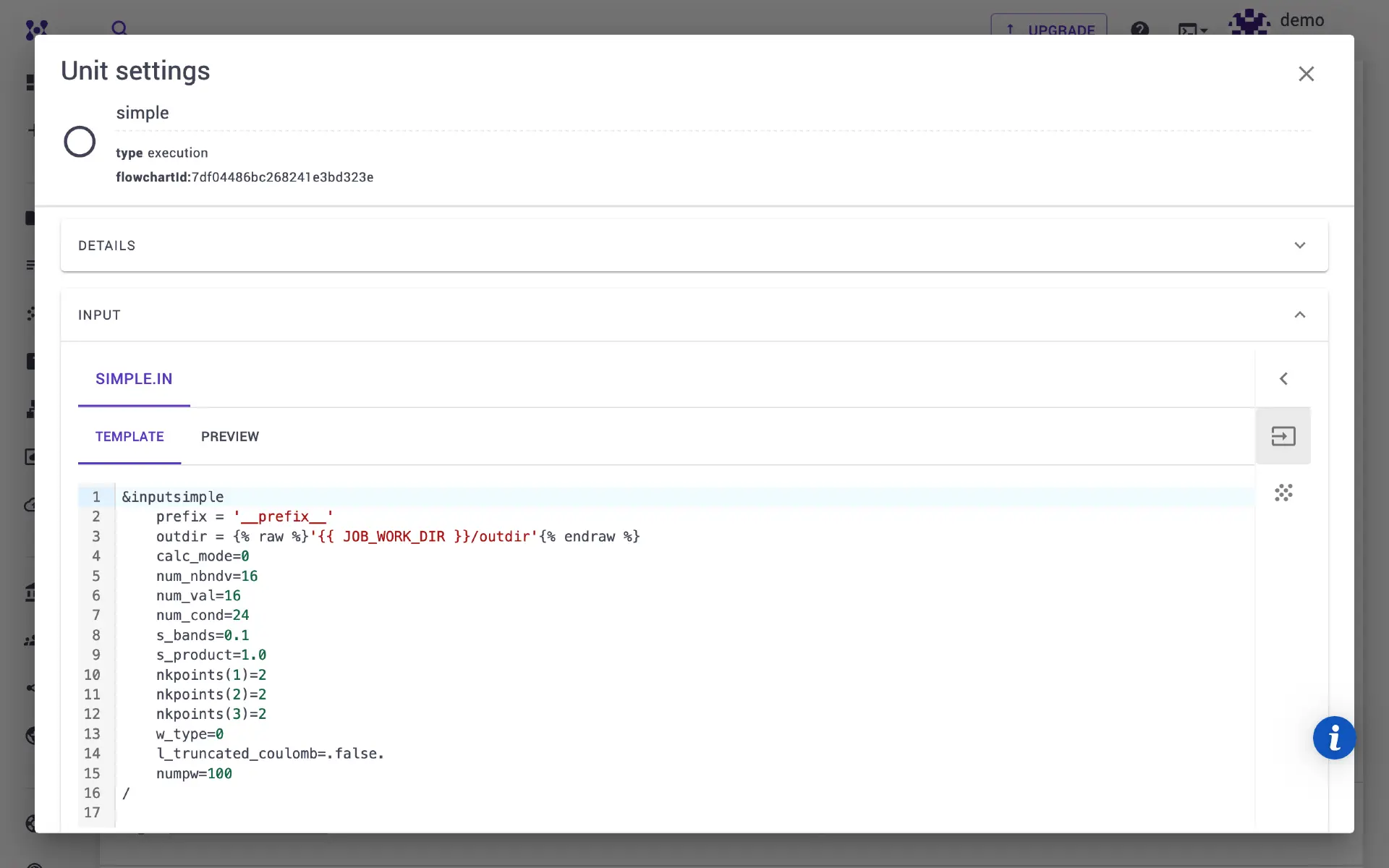
1.8. SIMPLE BSE calculation
Add a unit for the dielectric function calculation using simple_bse.x. Alternatively, simple_ip.x can be used.
1.9. Post-processing
The previous step calculates the \(\alpha\) and \(\beta\) coefficients of the Haydock series. These are transformed into the dielectric constant using the abcoeff_to_eps.x post-processing utility.
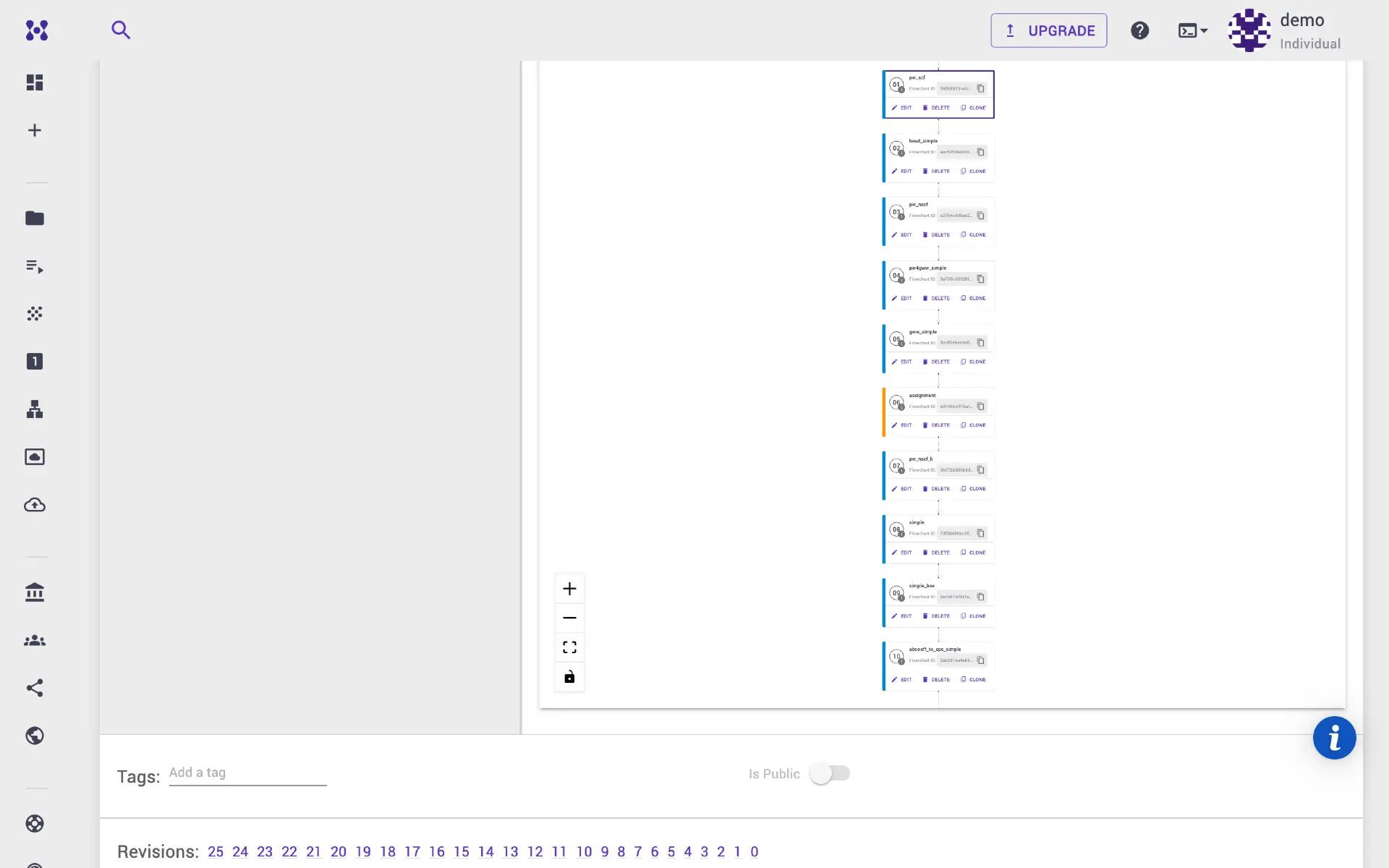
2. Run the job
Once the workflow is ready, navigate to the jobs page and create a new job. Select the workflow, adjust compute parameters, and submit for execution. After completion, the epsilon output files are available under the Files tab. A Jupyter notebook session on the platform or local downloads can be used for plotting.
3. Video walkthrough
The animation below demonstrates the full process.