Passivation of Silicon (100) Surface.
1. Introduction
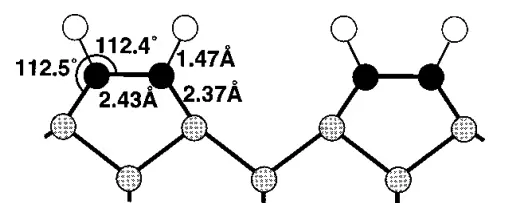
This tutorial demonstrates how to passivate a reconstructed silicon (100) surface with hydrogen atoms, following the methodology described in the literature.
Manuscript
Hansen, U., & Vogl, P. "Hydrogen passivation of silicon surfaces: A classical molecular-dynamics study." Physical Review B, 57(20), 13295–13304. (1998) DOI: 10.1103/PhysRevB.57.13295. 123
We will recreate the passivated surface structure shown in Fig. 8:
2. Obtain the Silicon (100) Surface Structure
2.1. Load Base Material
Navigate to Materials Designer and import the reconstructed Si(100) surface from Standata.
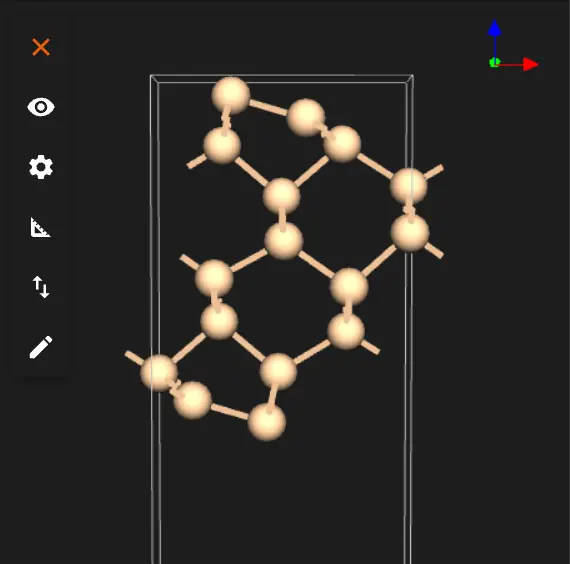
2.2. Launch JupyterLite Session
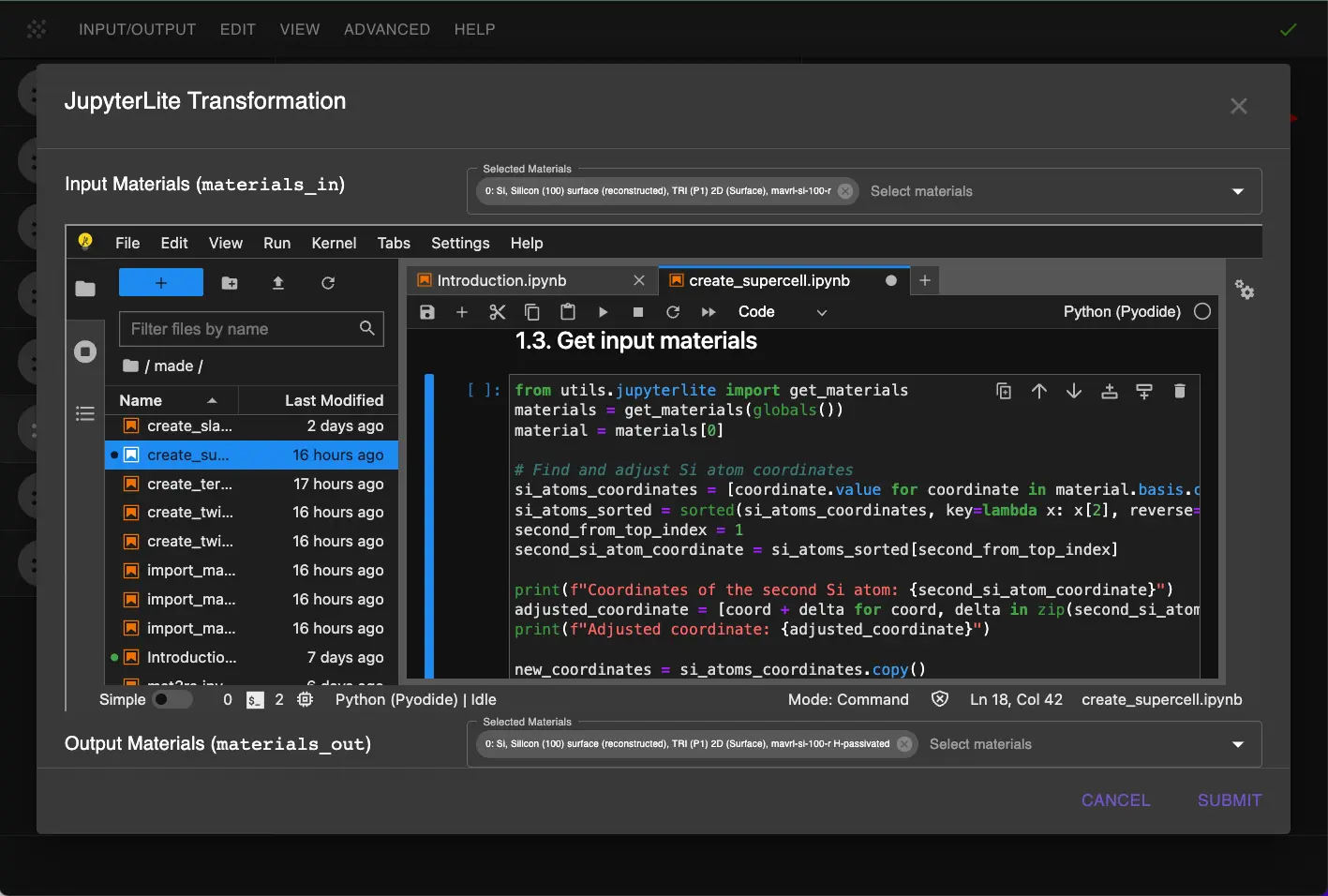
Select the "Advanced > JupyterLite Transformation" menu item to launch the JupyterLite environment.
2.3. Open Modified create_supercell.ipynb Notebook
Open create_supercell.ipynb, select input material as the Si(100) structure, and set the supercell parameters in 1.1.:
1 2 3 4 5 6 7 8 | |
Also add to the "Get input materials" cell the following code to adjust the Si atom position:
1 2 3 4 5 6 7 8 9 10 11 12 13 14 15 16 17 18 19 | |
2.4. Run Structure Adjustment
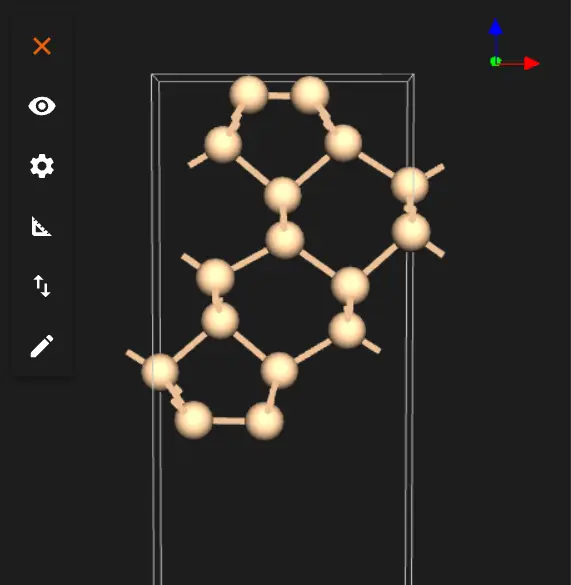
Run the notebook using "Run > Run All Cells". This will:
- Load the Si(100) structure
- Adjust the position of the specified Si atom
- Create a supercell if specified in the parameters
- Visualize the adjusted structure
3. Passivate the Surface
3.1. Open passivate_slab.ipynb Notebook
Find and open the passivate_slab.ipynb notebook to add hydrogen atoms to the surface.
3.2. Set Passivation Parameters
Configure the following parameters for hydrogen passivation:
1 2 3 4 5 6 7 8 9 10 11 12 13 14 15 16 17 18 19 20 21 22 23 24 25 26 | |
Key parameters explained:
BOND_LENGTH: Si-H bond length from literature.SHADOWING_RADIUS: Controls which atoms are considered surface atoms, set to be below the distance between top Si atoms pair.SURFACE: Passivate only the top surface.DEPTH: How deep to look for surface atoms, set to include only top Si atoms.
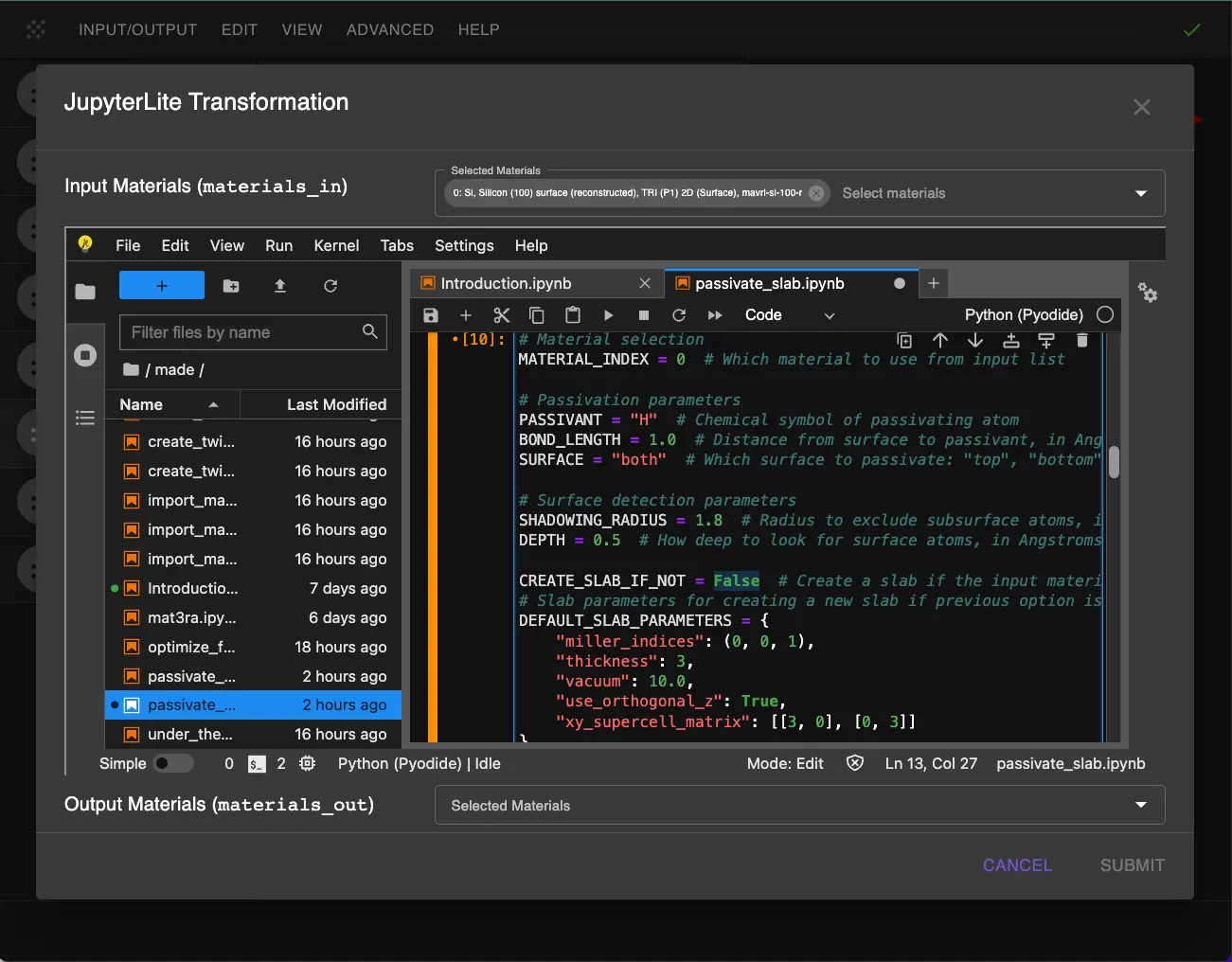
3.3. Run Passivation
Run all cells in the notebook. The passivation process will:
- Detect surface Si atoms
- Add H atoms at the specified bond length
- Generate the passivated structure
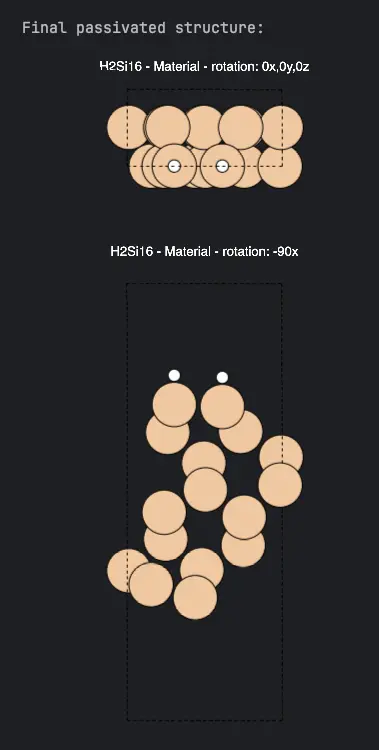
4. Analyze Results
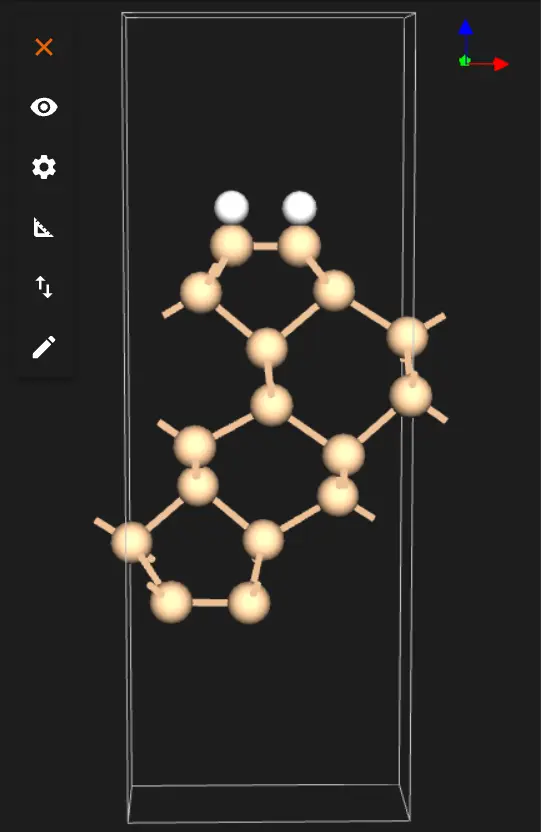
After running both notebooks, examine the final structure:
Check that:
- The adjusted Si atom position is correct
- Surface reconstruction is maintained
- H atoms are properly placed above surface Si atoms
5. Save the Results
The final structure will be automatically passed back to Materials Designer where you can: 1. Save it in your workspace 2. Export it in various formats 3. Use it for further calculations
6. Interactive JupyterLite Notebook
The following embedded notebook demonstrates the complete process. Select "Run" > "Run All Cells".
7. Parameter Fine-tuning
To adjust the passivation:
-
Surface Detection:
-
Increase
SHADOWING_RADIUSto be more selective about surface atoms -
Adjust
DEPTHto control how deep to look for surface atoms -
Passivation:
-
Modify
BOND_LENGTHfor different Si-H distances - Change
SURFACEto passivate different surfaces - Change
PASSIVANTto use different passivating species
8. References
-
U. Hansen and P. Vogl. Hydrogen passivation of silicon surfaces: a classical molecular-dynamics study. Physical Review B, 57(20):13295–13304, 1998. URL: https://doi.org/10.1103/physrevb.57.13295. ↩
-
J. E. Northrup. Structure of si(100)h: dependence on the h chemical potential. Physical Review B, 44(3):1419–1422, 1991. URL: https://doi.org/10.1103/physrevb.44.1419. ↩
-
J. J. Boland. Structure of the h‐saturated si(100) surface. Physical Review Letters, 65(26):3325–3328, 1990. URL: https://doi.org/10.1103/physrevlett.65.3325. ↩