Accelerate Quantum ESPRESSO Simulation with GPUs
This tutorial walks through a step-by-step example of running a Quantum ESPRESSO job on GPUs. As of the time of writing, the GPU (CUDA) build of Quantum ESPRESSO is only available via the Command Line Interface (CLI). GPU acceleration can provide dramatic speedups for Quantum ESPRESSO simulations.
1. Connect to the login node
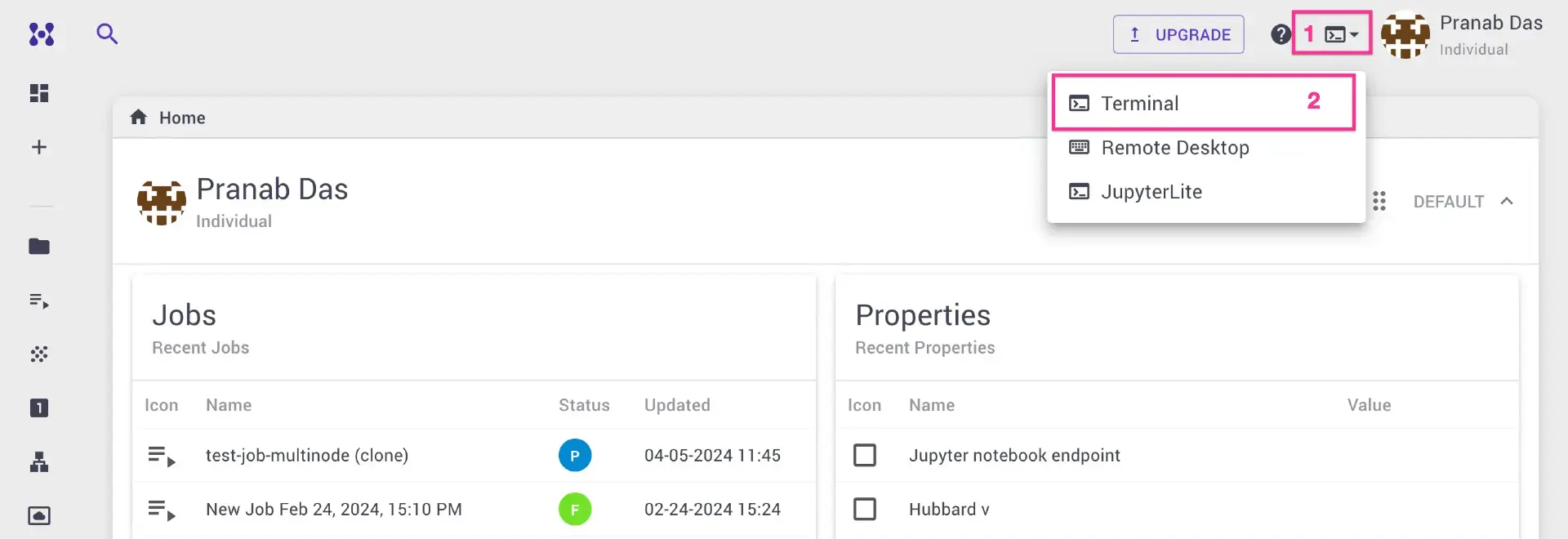
Connect to the login node via SSH client or web terminal. It is also possible to run CLI jobs by creating a bash workflow.
2. Clone the example repository
The example job is available in the git repository mat3ra/cli-job-examples. Clone the repository to the working directory:
1 2 3 4 | |
3. Review the input files
All required input files and the job script are located under espresso/gpu. Review the input files and PBS job script, and update the project name and other parameters as necessary.
4. Select the compute queue
The GOF queue is used, which comprises 8 CPUs and 1 NVIDIA V100 GPU per node.
5. Configure MPI and OpenMP
Since the compute node contains 8 CPUs with 1 GPU, the job runs 1 MPI process with 8 OpenMP threads:
1 2 3 | |
6. Submit the job
Submit the job using:
1 | |
7. Inspect the results
Once the job completes, inspect the output file pw.cuo.gpu.scf.out. The output confirms that GPU acceleration was used and the job took approximately 1 minute wall time:
1 2 3 4 5 6 7 8 9 10 11 12 | |
8. Compare with CPU-only performance
For comparison, the same calculation using only CPUs took about 20 times longer:
1 2 3 4 5 6 7 8 | |
Different combinations of MPI and OpenMP, as well as various parallelization options, can be tested to find the best performance.